I always felt like I didn’t have an “eye for design”.
“I know this looks terrible, but I have no idea why.”
Looking for this “eye for design”, I noticed many Reddit users recommend the book “Refactoring UI” as the solution.
The premise of the book is that you don’t need a special talent to make designs look beautiful. There are only rules you need to follow.
So I read the book. My opinion?
The book delivers big time, and every non-designer out there should read it.
If you don’t have time to read it, here are quick lessons from the book to help your make your website look better.
1. start with a pen and paper
Don’t think about colors or fonts when you start from scratch.
Think about the feature (what do you need the site to do?) and sketch a layout.
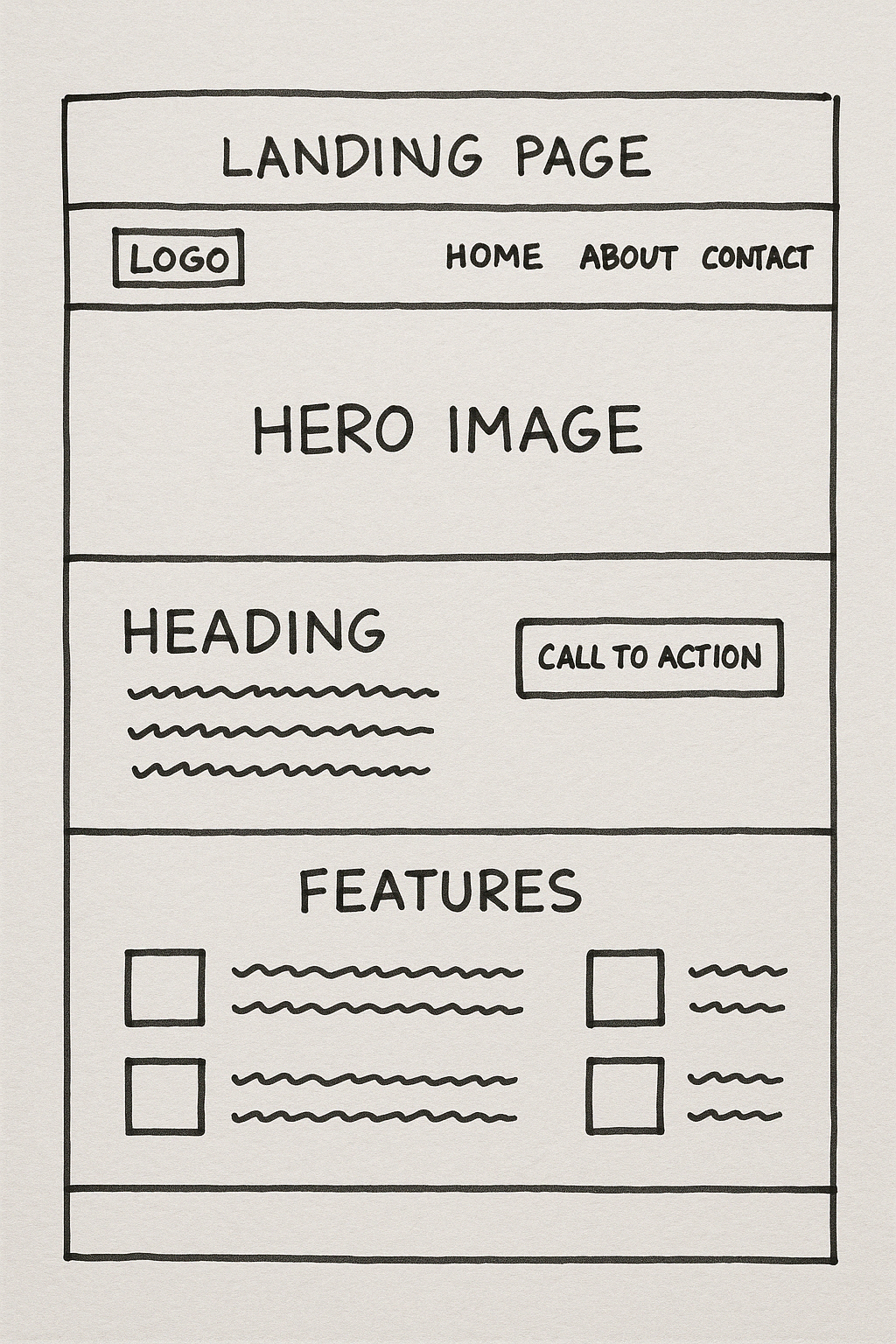
It’s easier to figure out the next steps when you have a structure in mind.
2. how round should your border radius be?
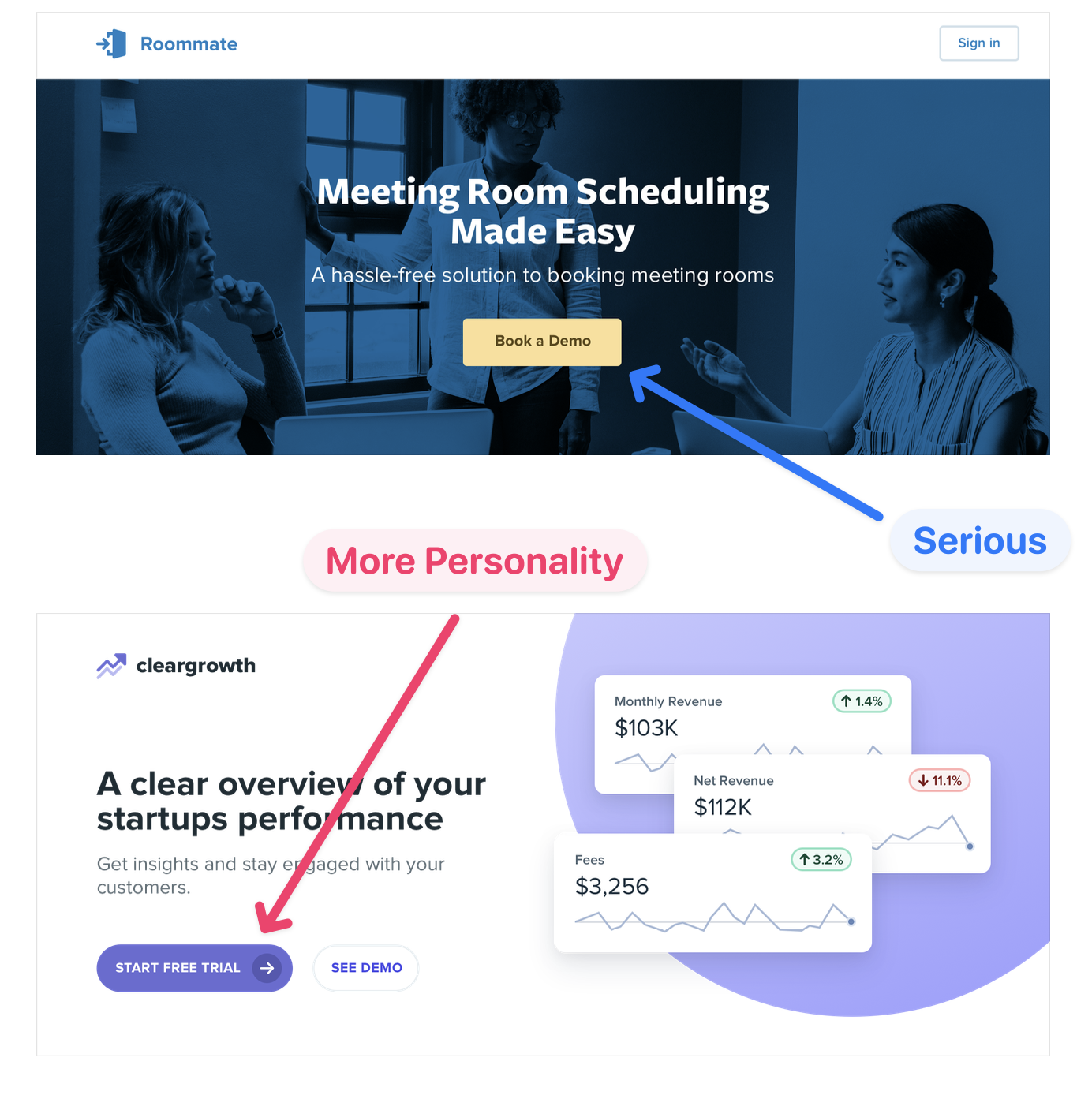
A larger border radius is more playful, while no border is more serious.
3. design with less
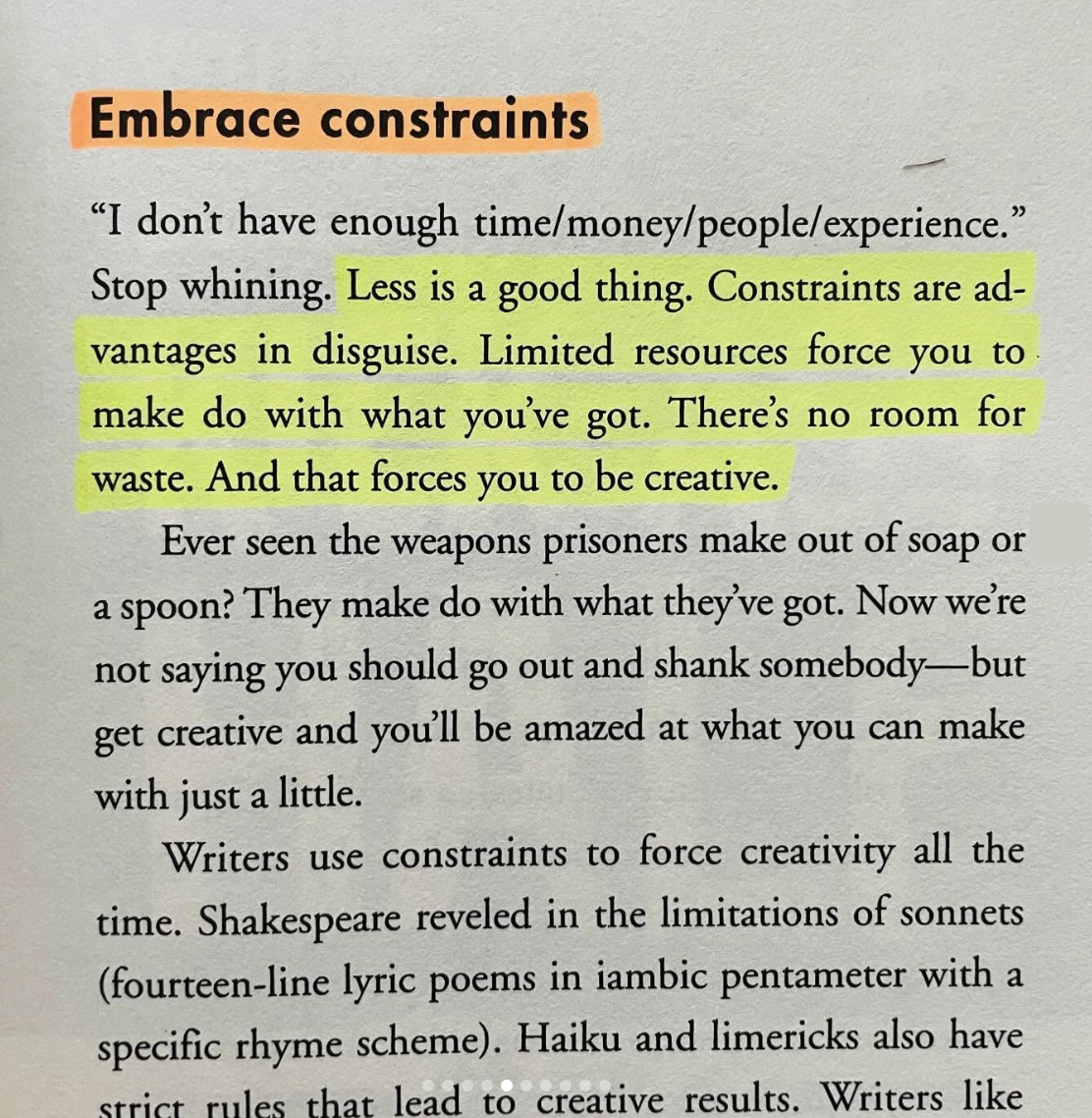
Having too many options is paralyzing.
When you have less, decision-making becomes easier. You don’t have a lot to choose from, so become more creative.
Decide on two fonts. Choose one main color. Use one source for images.
Then get to work, see what you can do with it.
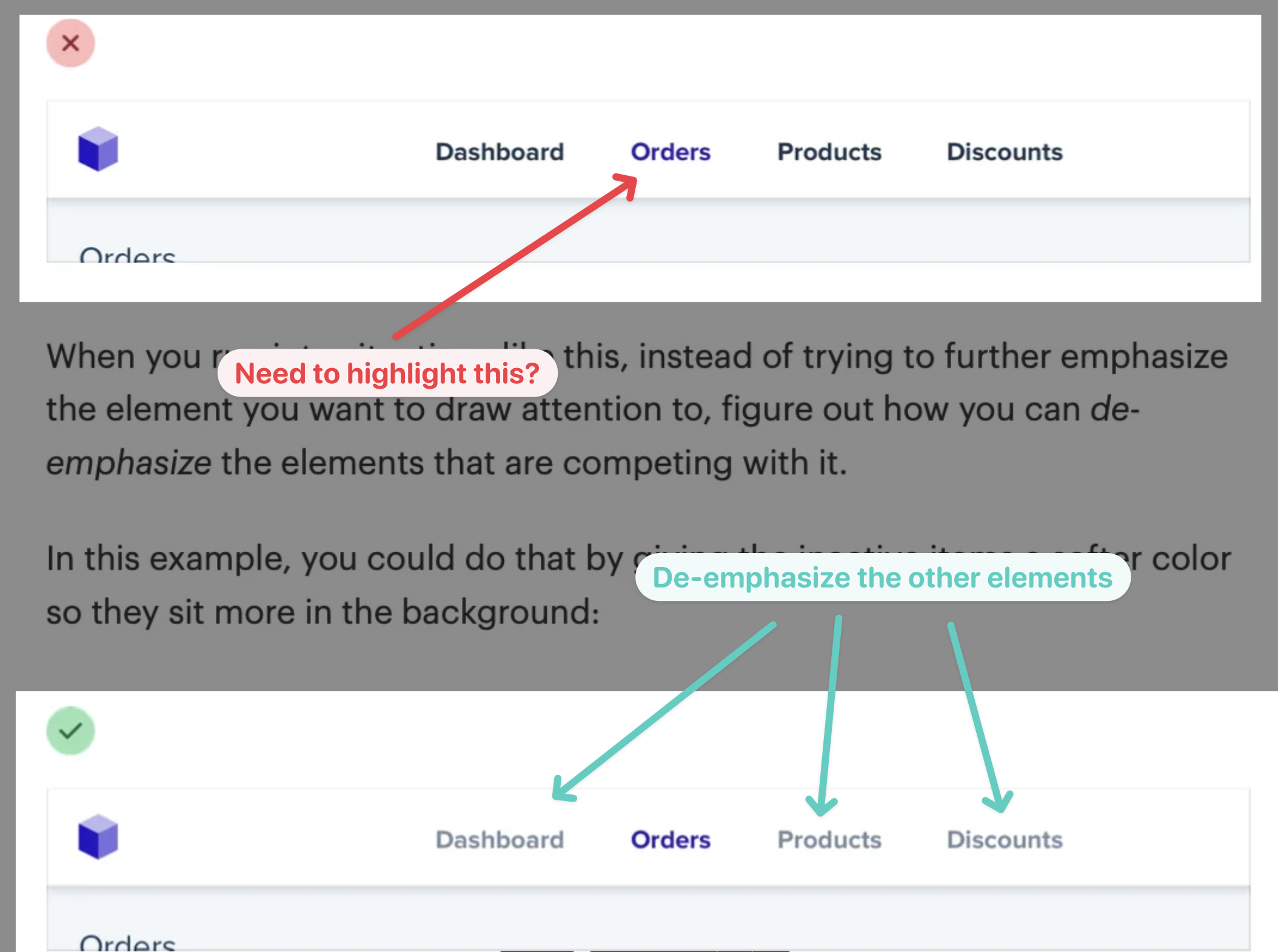
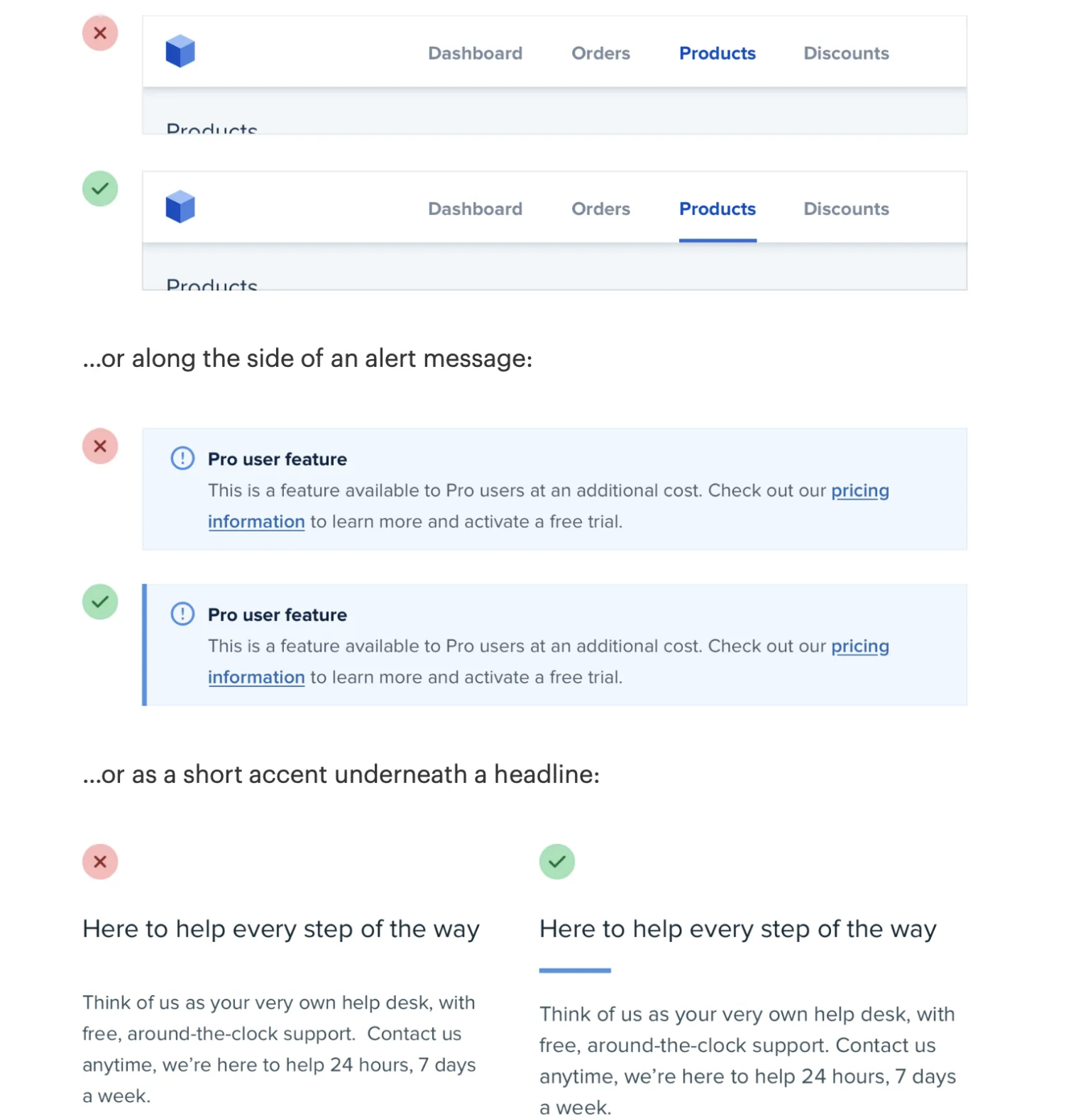
4. emphasize by de-emphasizing
Need to highlight a selected navbar item? Don’t increase its contrast.
For a more elegant solution, de-emphasize the elements around it.
5. labels are a last resort
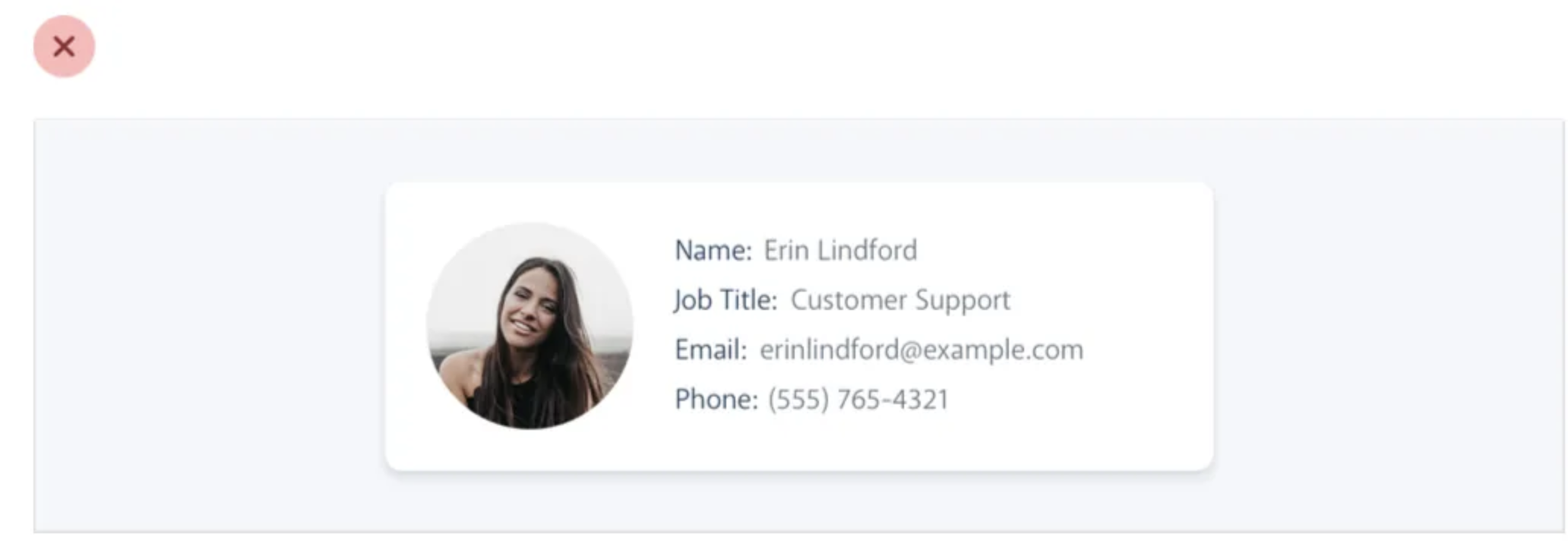
If something is self-explanatory, don’t use more words to describe it.
Labels are often unnecessary.
If the reader can understand they read a “name” or an “email”, don’t add a label 👇🏽
6. have a system
Before you do any design, make sure you have all the building blocks.
- Use Typescale for consistent typography.
- Create a good color palette.
- Have your assets and images ready: High-quality & compressed.
- Have a sizing system for the rest of the elements.
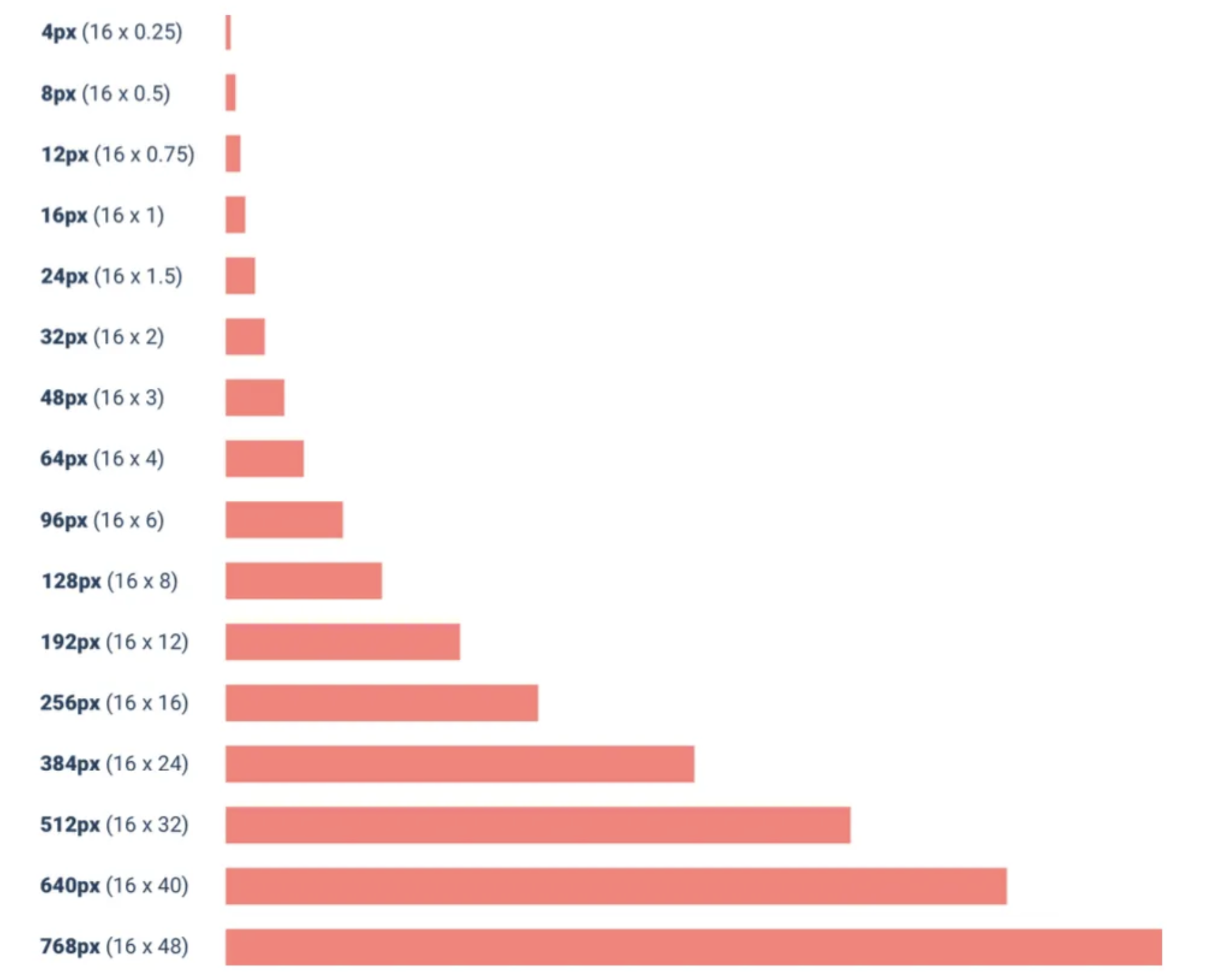
Design will be easier when you have everything set up.
7. quick line-height rules
- Bigger font size = Smaller line height
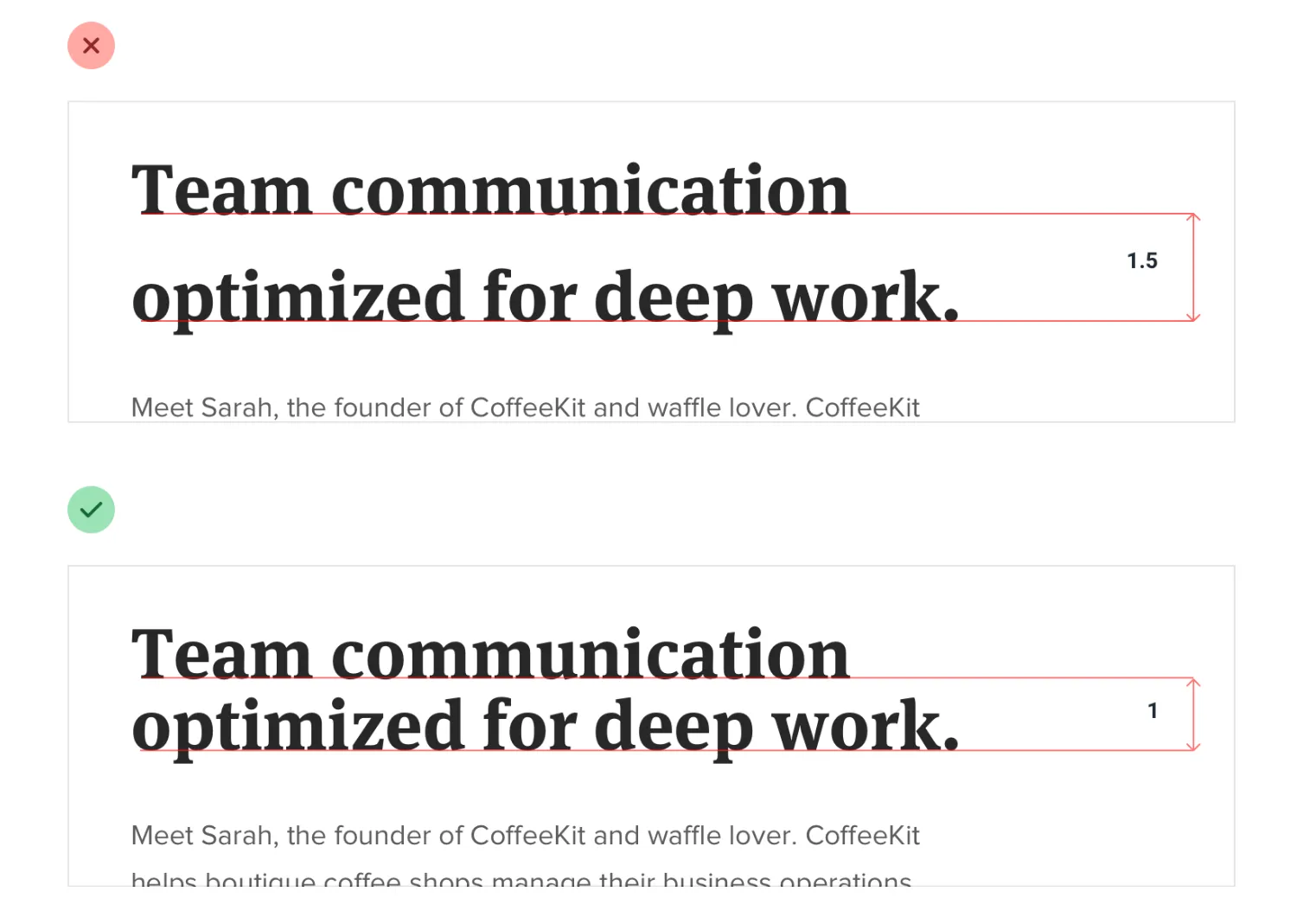
- Longer text line = bigger line height
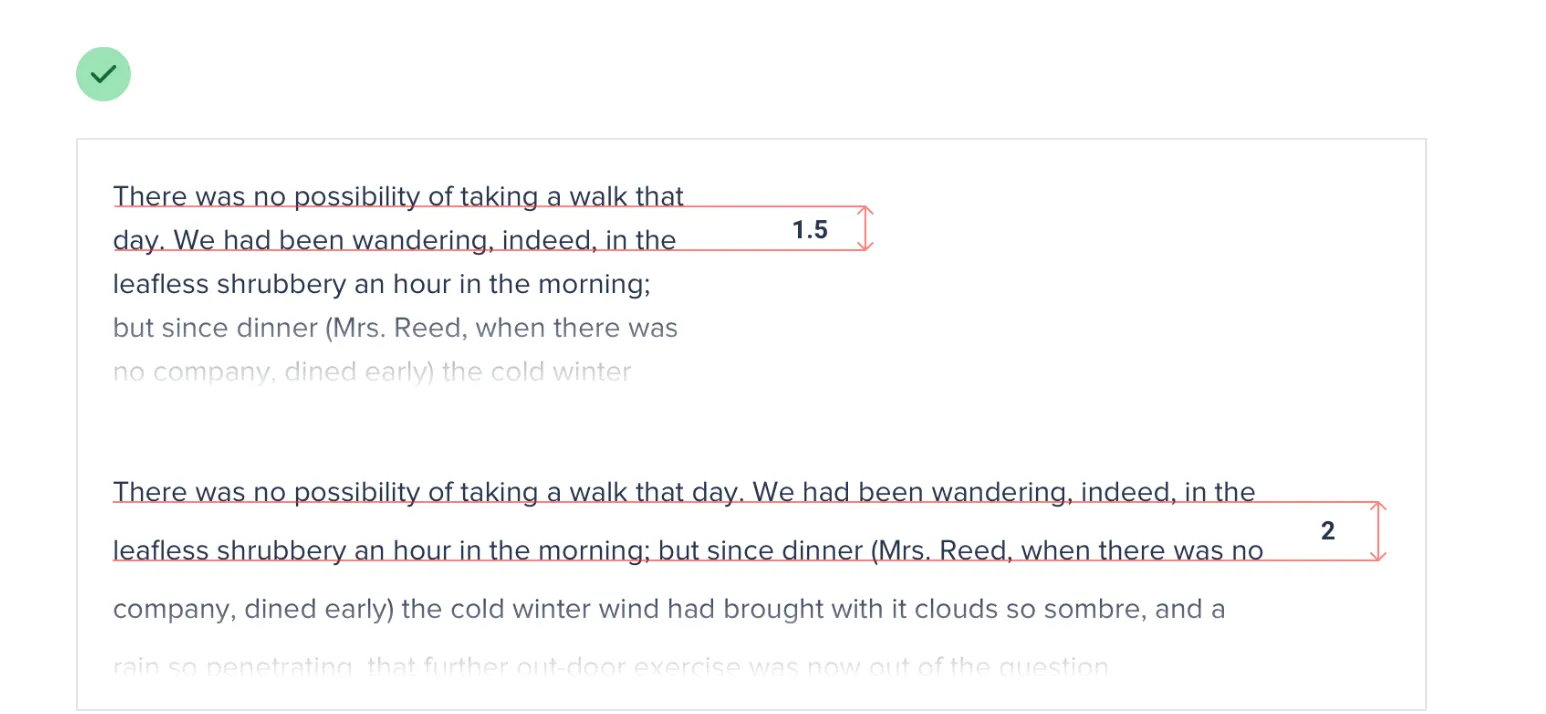
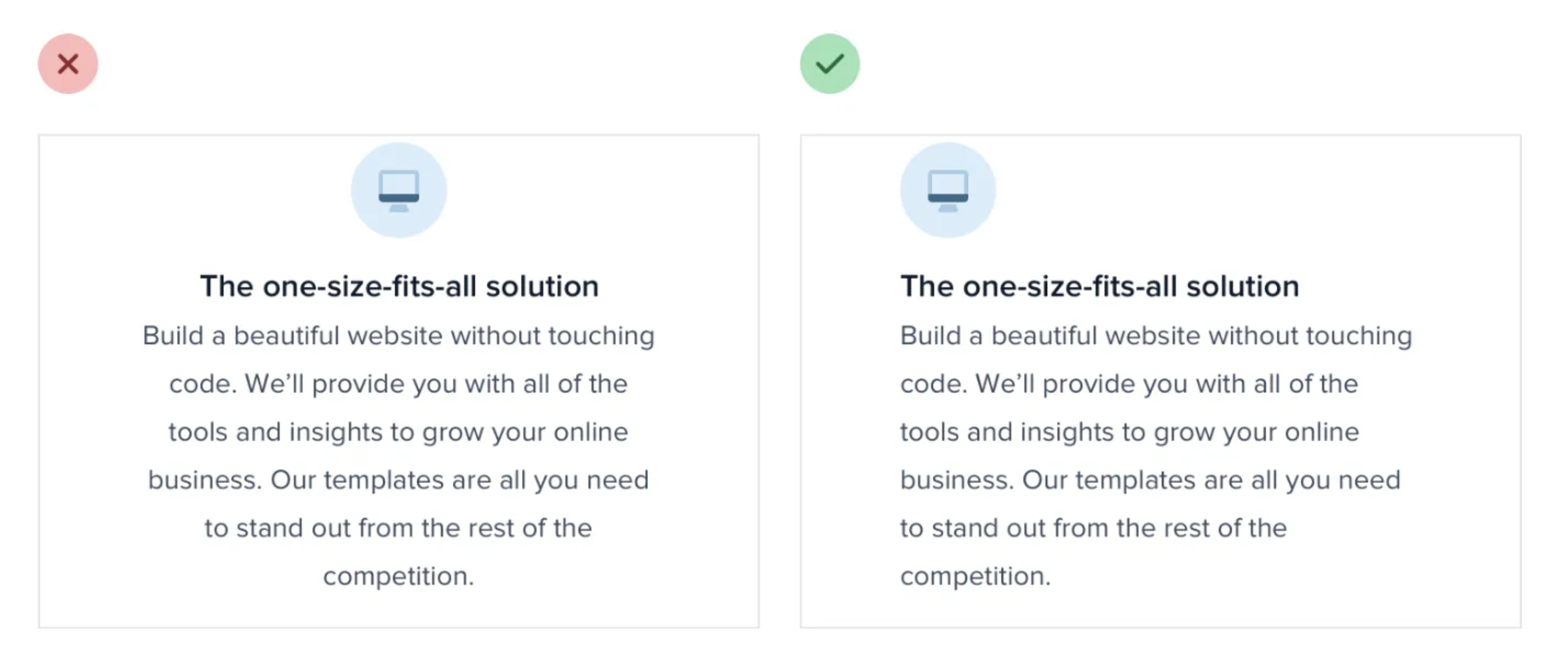
8. left aligned >> center
“if something is longer than two or three lines, it will almost always look better left-aligned.
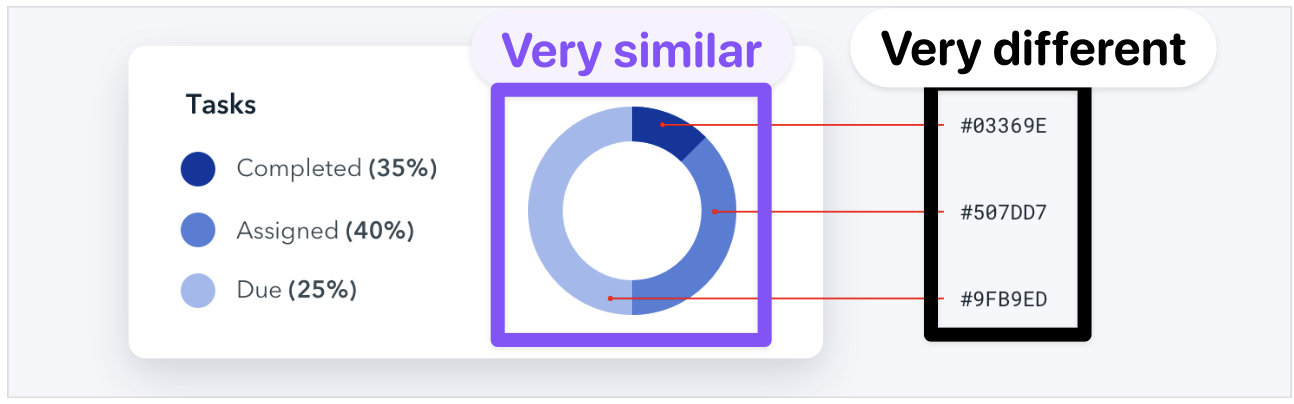
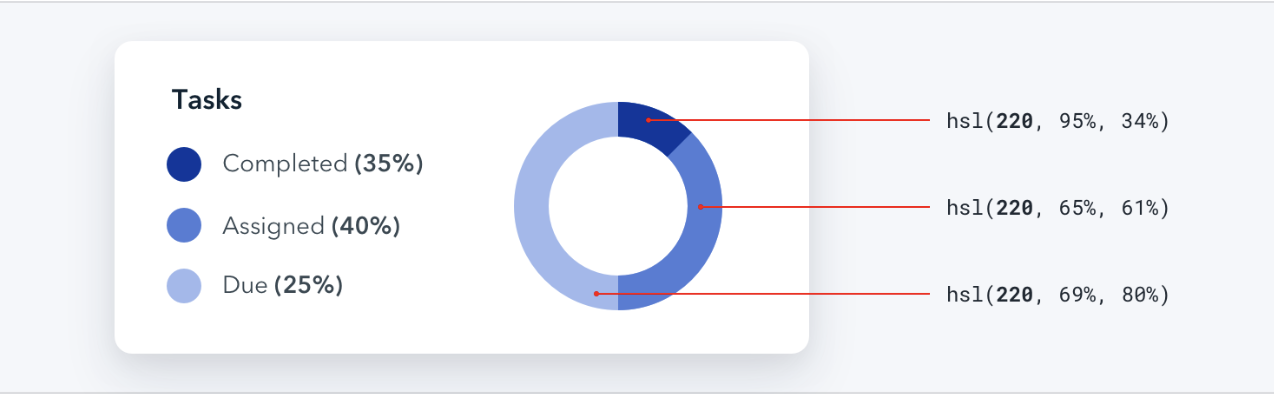
9. 🎨 HSL is better than Hex
In Hex, colors that look the same visually don’t look the same in code.
“HSL fixes this by representing colors using attributes the human eye intuitively perceives: hue, saturation, and lightness.”
10. Use good photos
The quality of the images can make or break your website.
Even if the design is amazing, bad photos will ruin it
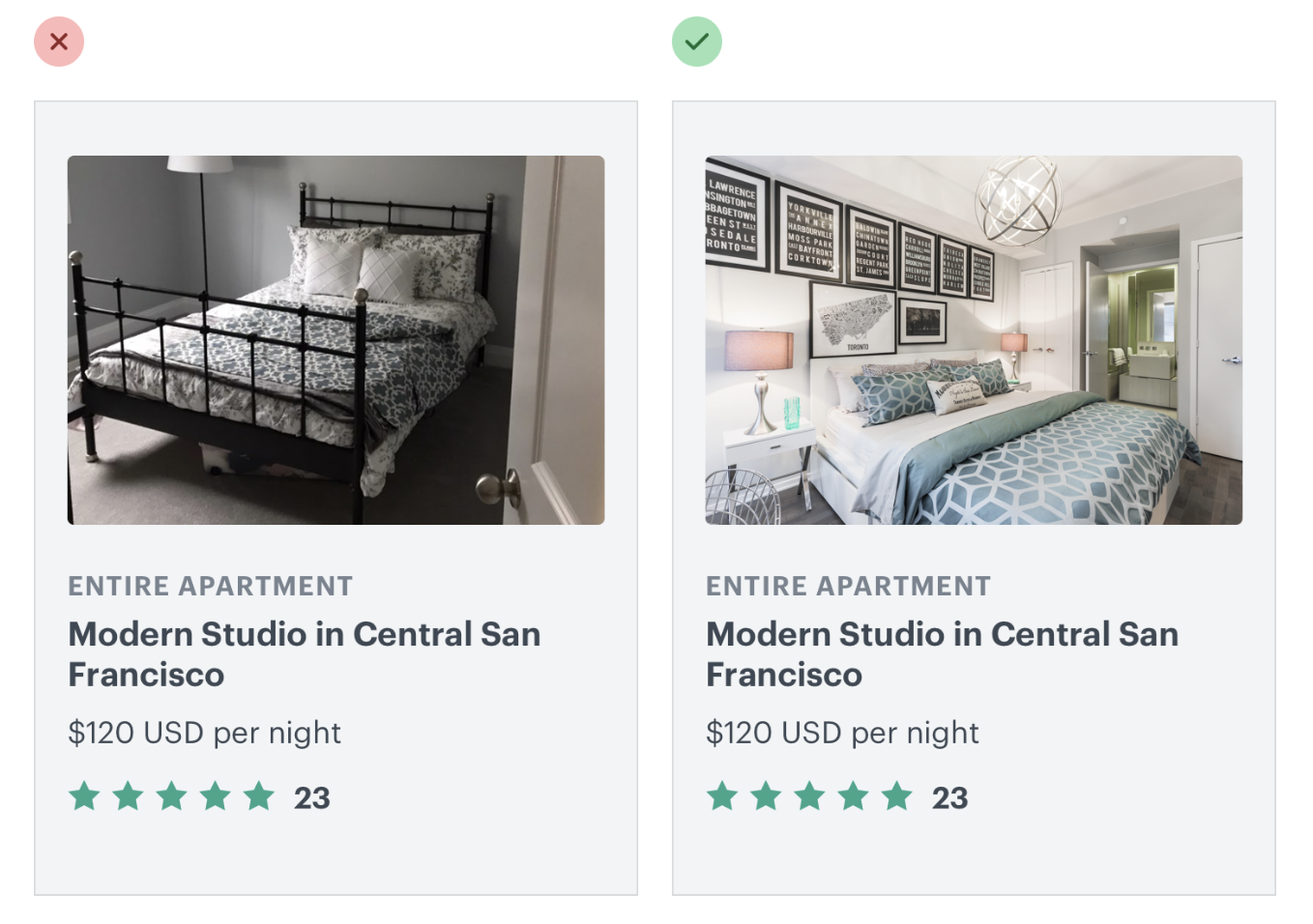
.To fix it, use a high-quality stock site.
11. How to use text on images
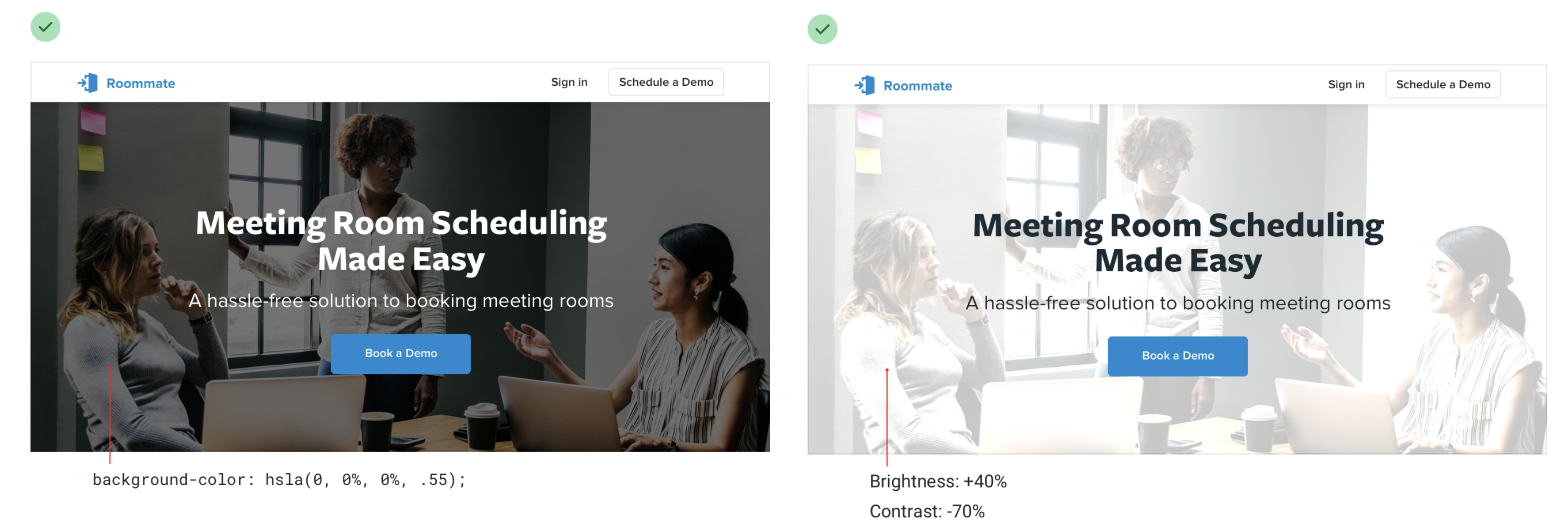
Add an overlay.
This is how you go from this:
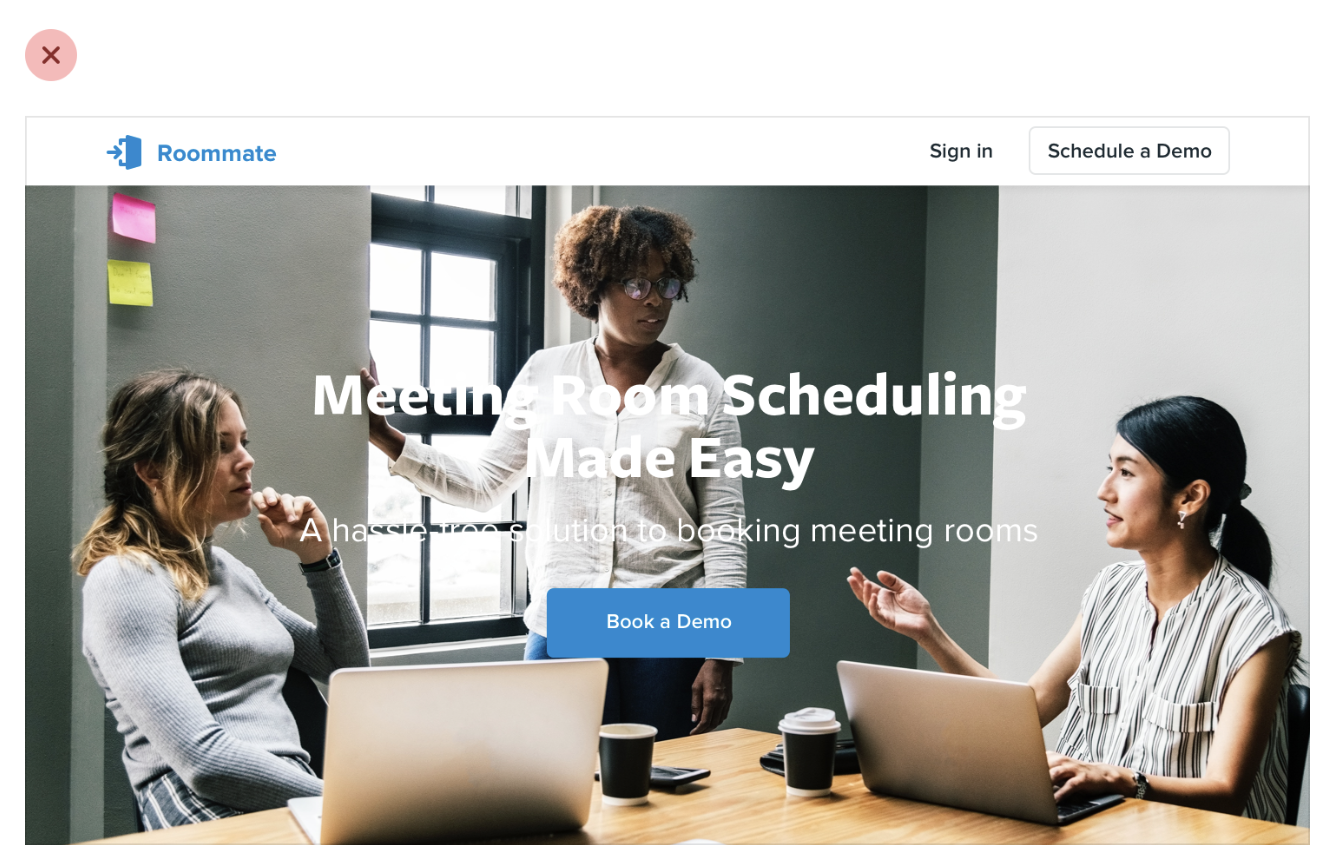
To these:
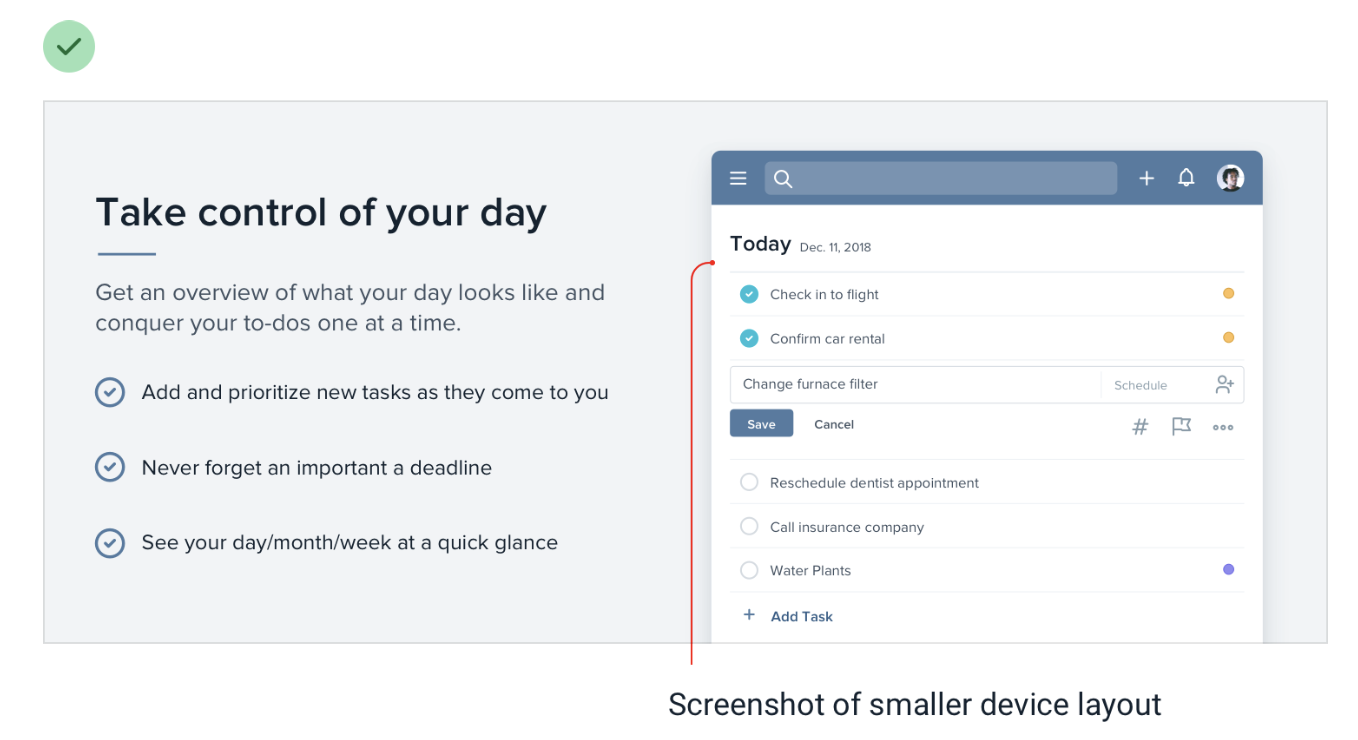
12. Don’t scale down screenshots.
If you use screenshots to showcase your product, don’t scale them down to fit your design:
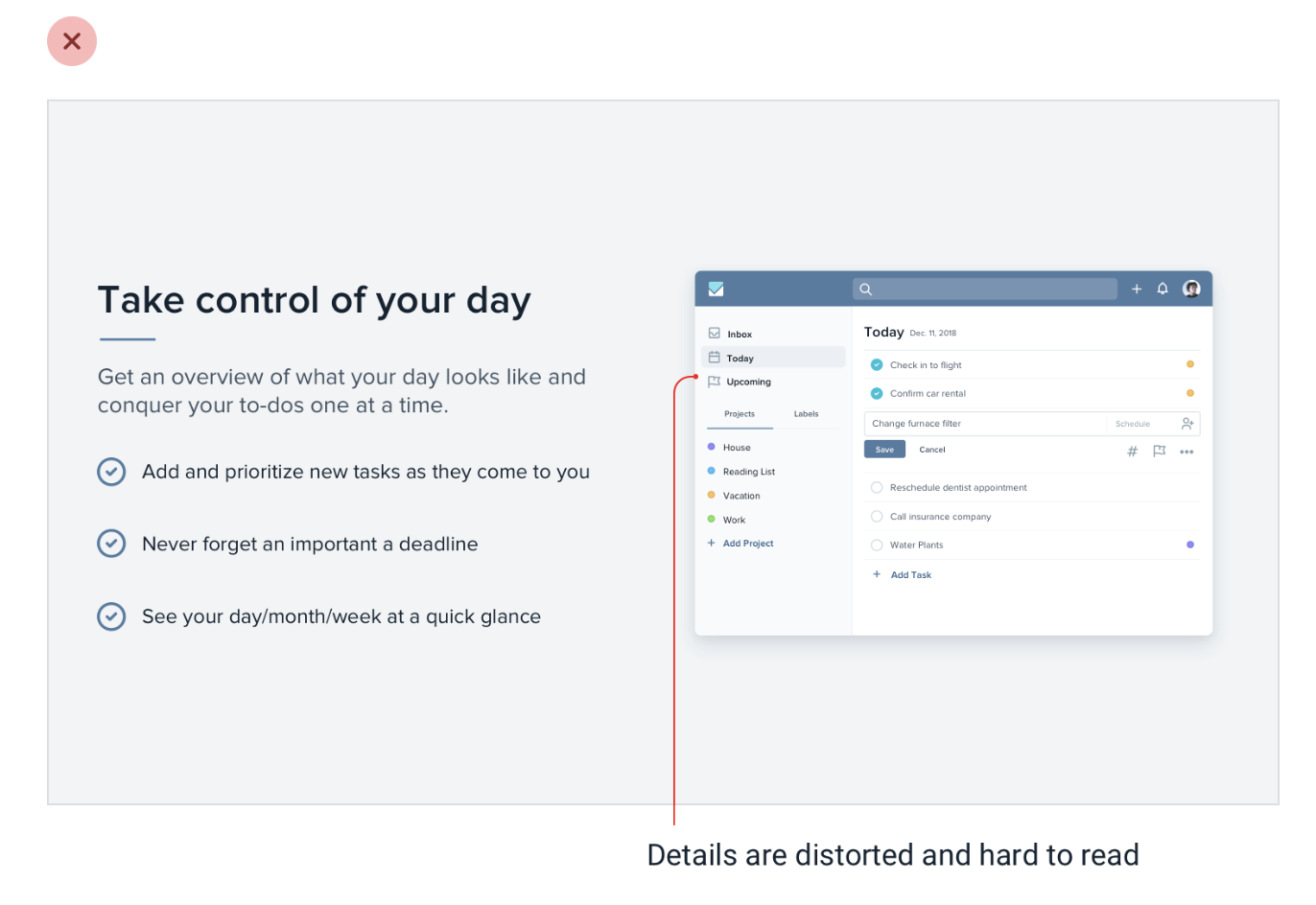
Instead, take a screenshot at a small screen size. It will look better.
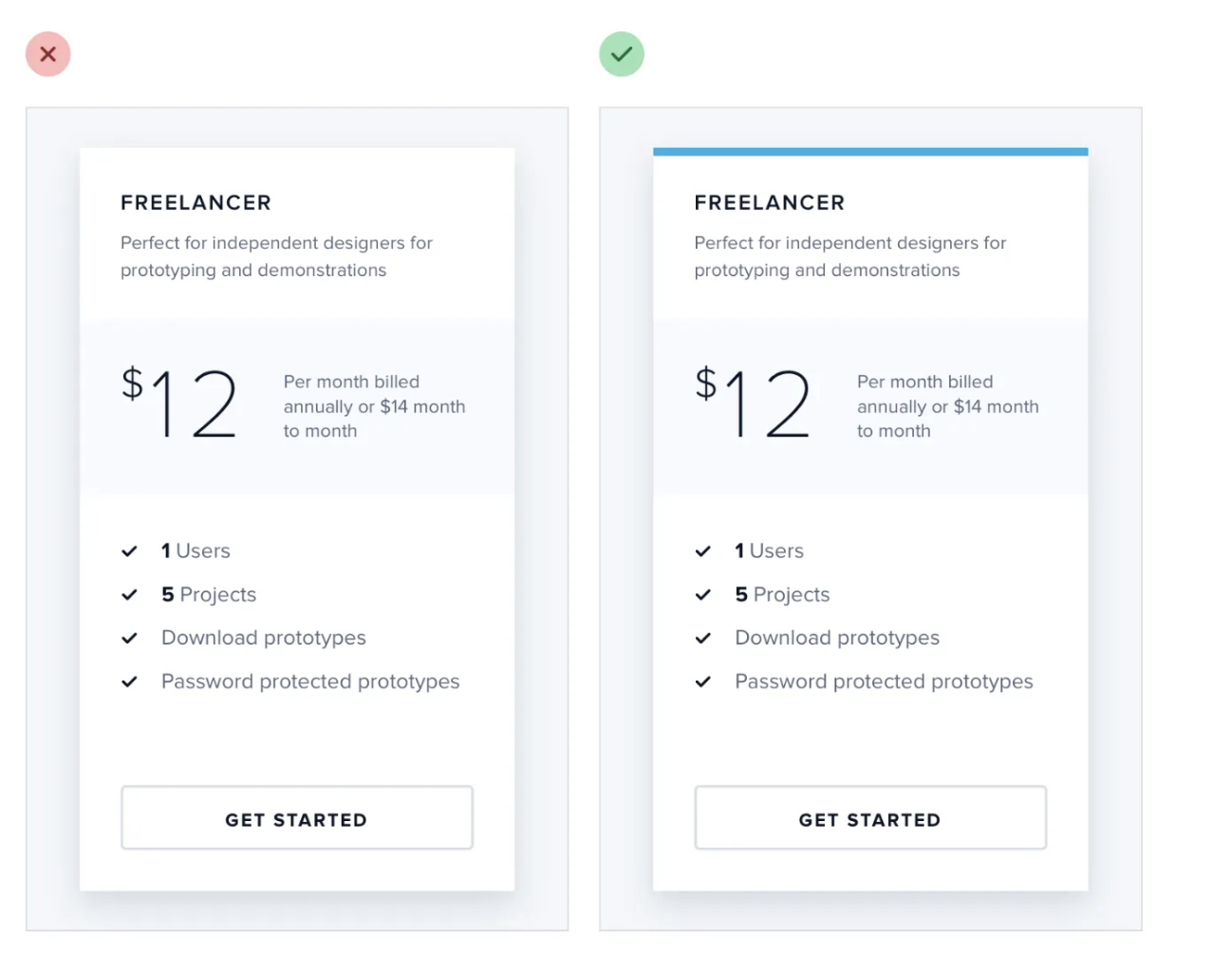
13. Use the famous dash
Use a dash of color in some spaces to make elements look better.
14. How to practice and level up
Recreate good examples by yourself.
“The absolute best way to notice the little details that make a design look really polished is to recreate that design from scratch, without peeking at the developer tools.”
Find great designs and try to build them yourself.
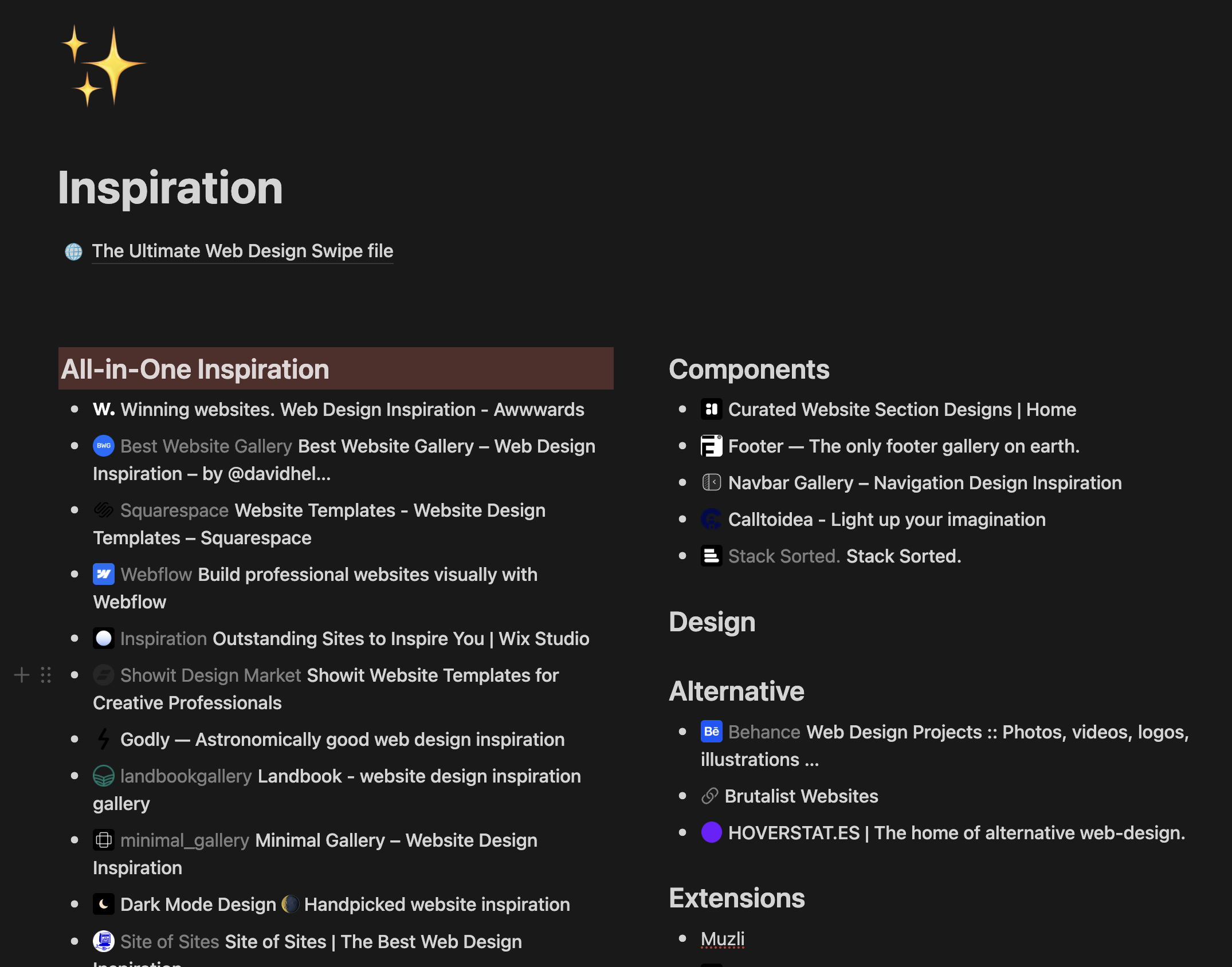
If you need a place to get good design examples from, next week I’ll share my entire Notion library for gathering inspiration